

The Tomorrow.io MCP App is a remote MCP server that shows interactive weather widgets right inside your AI assistant. Ask Claude about the forecast, air quality, pollen, or wildfire risk, and it answers with a live Tomorrow.io widget instead of plain text.
This page covers the MCP App connector. If you want raw weather data through the Tomorrow.io API with your own API key, see Tomorrow.io MCP.
Overview
- Server URL:
https://api.tomorrow.io/v4/weather-intelligence/mcp - Transport: Streamable HTTP (stateless, JSON responses)
- Authentication: None. You don't need a Tomorrow.io account or an API key.
- Access: Read-only. Every tool only reads weather data, and none of them creates, changes, or deletes anything.
- UI: Supports MCP Apps. In clients that support MCP Apps, results render as an interactive widget. Other clients receive a short text summary and structured data instead.
Connect
Claude (web and desktop)
From the connectors directory
- In Claude, open Customize → Connectors.
- Find Tomorrow.io and click Connect.
- Start a new chat and ask: "What's the weather in New York this week?"
As a custom connector
- Open Customize → Connectors → + Add → Add custom connector.
- Enter the name
Tomorrow.ioand the URLhttps://api.tomorrow.io/v4/weather-intelligence/mcp. - Click Add. The connector needs no sign-in.
On Team and Enterprise plans, an Owner first adds the connector under Organization settings → Connectors. Members can then connect it themselves.
Claude Code
claude mcp add --transport http tomorrow-io https://api.tomorrow.io/v4/weather-intelligence/mcpRun /mcp to confirm that the server is connected. Claude Code is a terminal client, so it receives the text and structured results without the interactive widgets.
Other MCP clients
Any client that supports remote MCP servers over Streamable HTTP can connect to the server URL. No headers or credentials are needed.
{
  "mcpServers": {
    "tomorrow-io": {
      "type": "http",
      "url": "https://api.tomorrow.io/v4/weather-intelligence/mcp"
    }
  }
}
Tools
All tools are read-only. Their annotations are readOnlyHint: true, destructiveHint: false, and idempotentHint: true.
Widget tools
Each of these tools renders an interactive Tomorrow.io widget.
| Tool | Title | What it shows | Input |
|---|---|---|---|
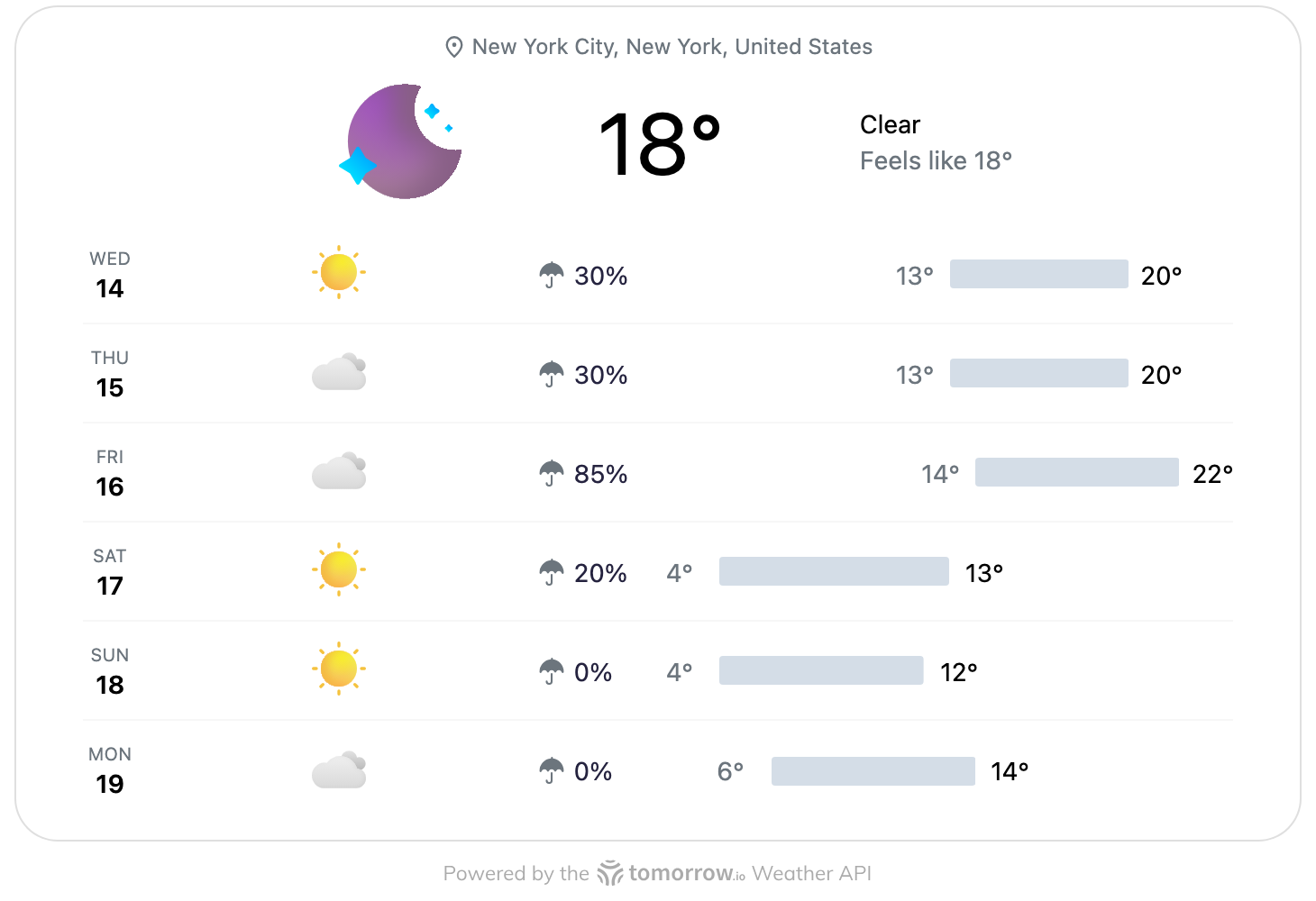
tio_mcp_apps_show_upcoming | Show Weather Forecast | Current conditions and the daily forecast for the coming days. This is the default tool for general weather questions. | Single location |
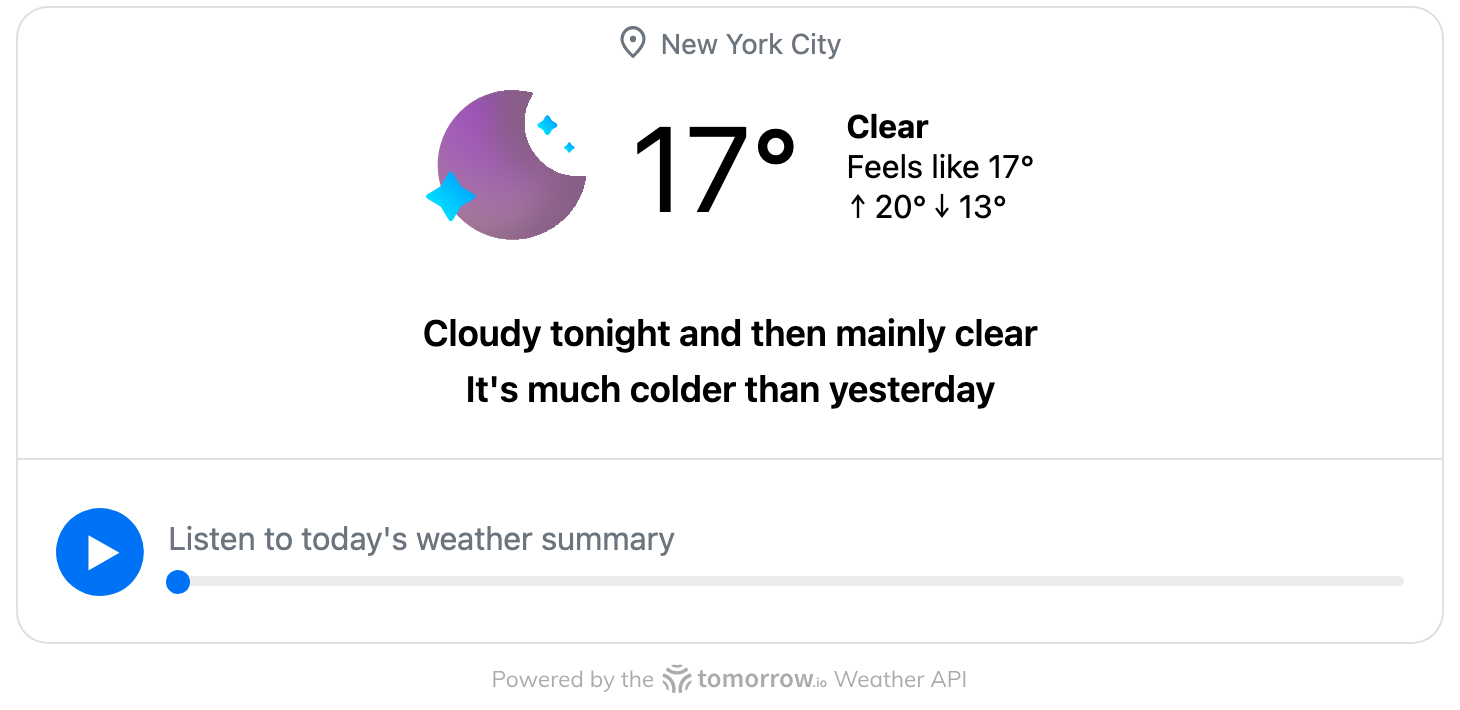
tio_mcp_apps_show_summary | Show Weather Summary | Current conditions, a plain-language forecast for the next 24 hours, and how today compares to yesterday. | Single location |
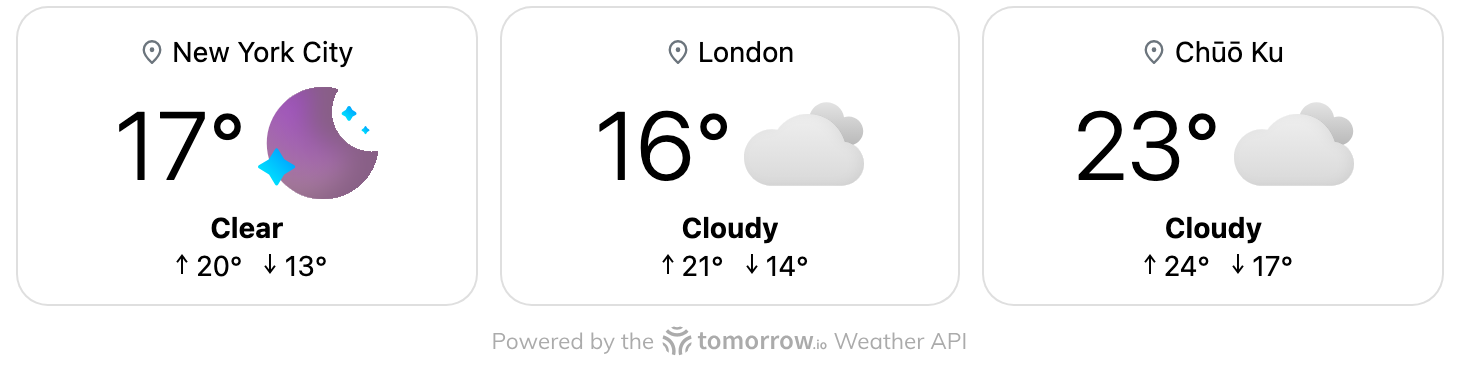
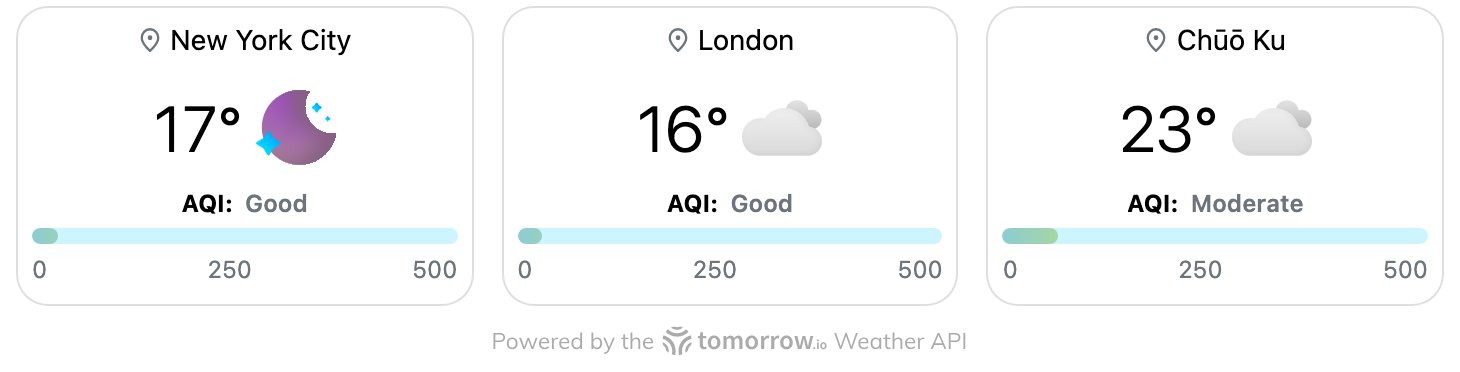
tio_mcp_apps_show_current_6 | Show Multi-Location Weather | Current weather for 2–6 places, side by side. | Multiple locations |
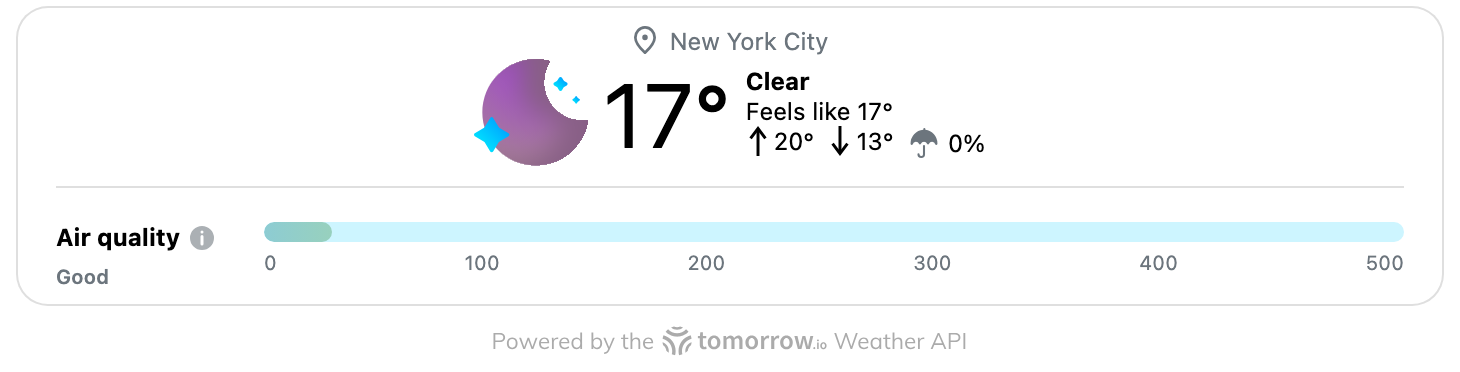
tio_mcp_apps_show_aqi_mini | Show Air Quality Index | The current Air Quality Index (AQI) alongside the weather conditions. | Single location |
tio_mcp_apps_show_aqi_6 | Show Multi-Location Air Quality | Air quality for 2–6 places, side by side. | Multiple locations |
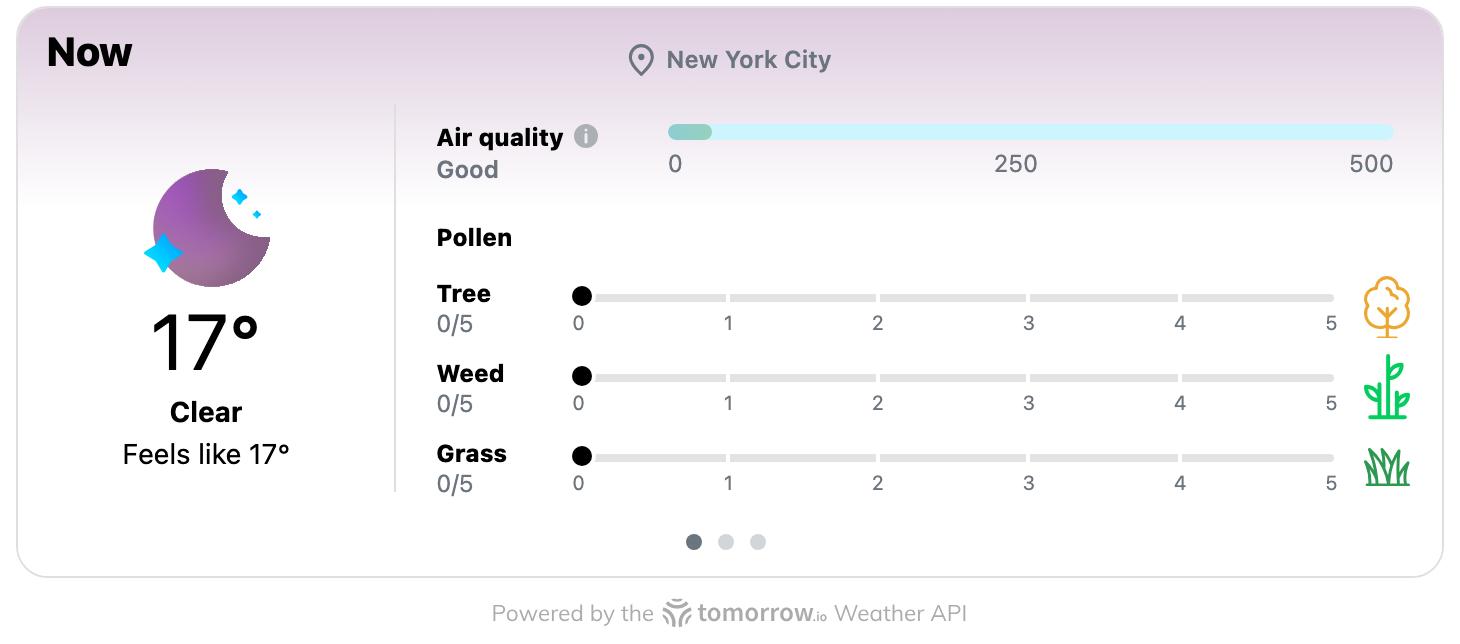
tio_mcp_apps_show_aqi_pollen | Show Pollen Forecast | Tree, grass, and weed pollen levels, plus air quality. | Single location |
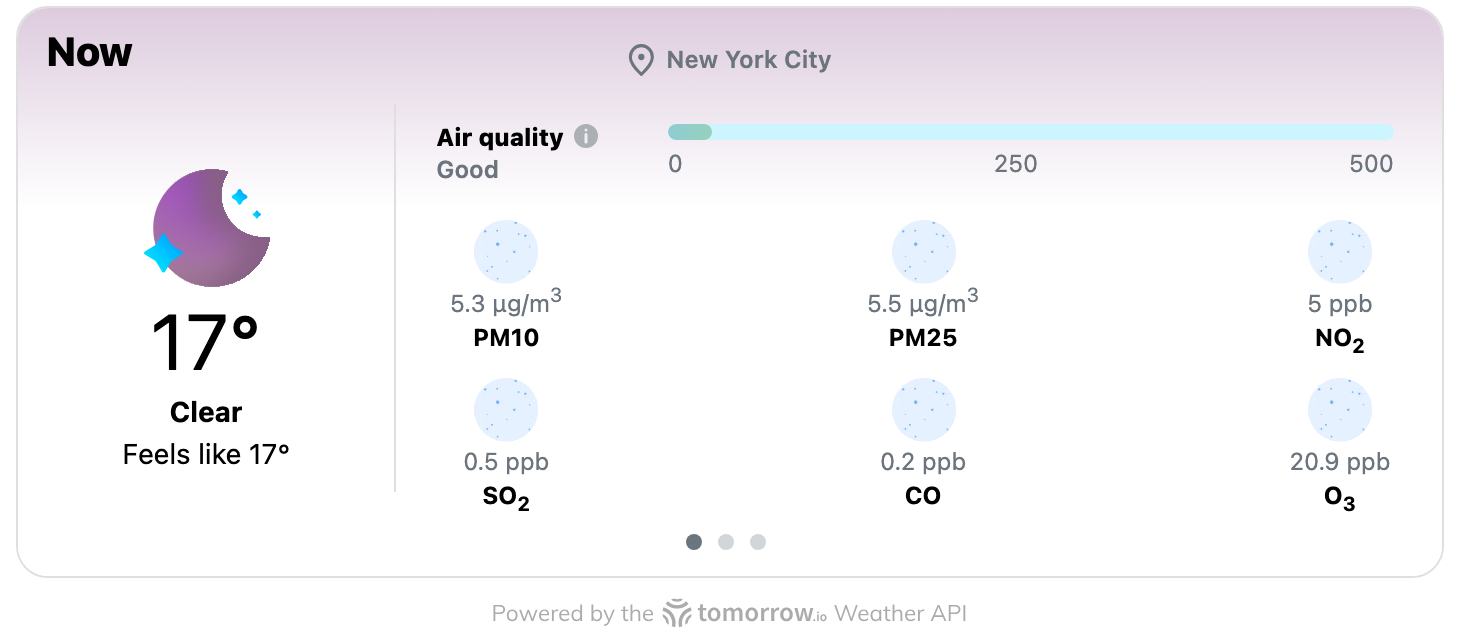
tio_mcp_apps_show_aqi_pollutant | Show Pollutant Breakdown | Concentrations of PM2.5, PM10, O₃, NO₂, CO, and SO₂. | Single location |
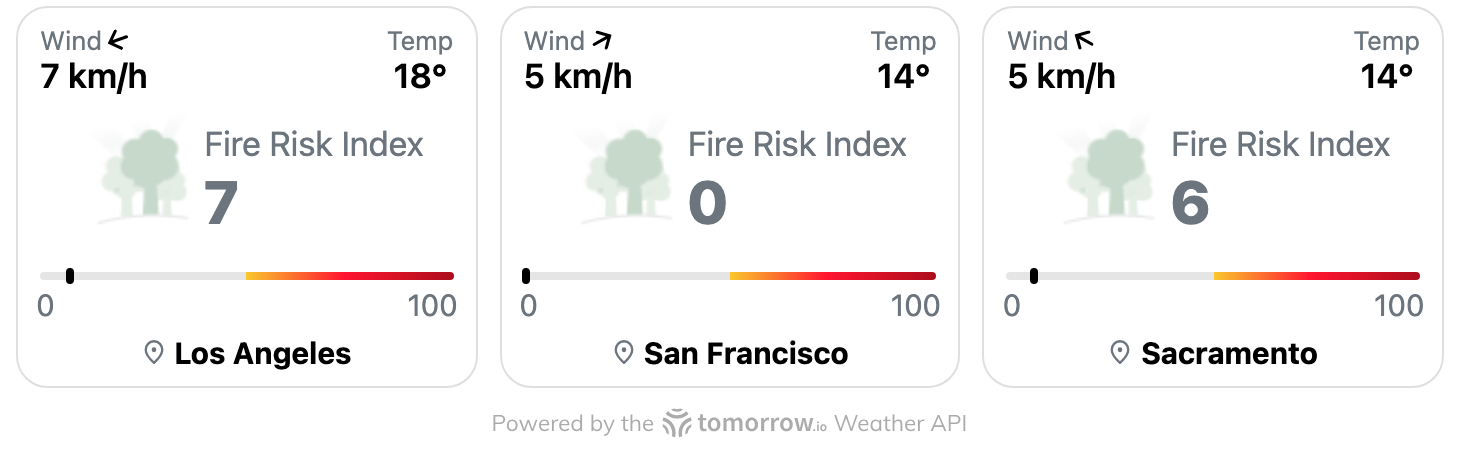
tio_mcp_apps_show_fire | Show Fire Risk Index | The wildfire risk index (FWI) and wind conditions for 2–6 places. | Multiple locations |
Helper tool
| Tool | Title | What it does | Input |
|---|---|---|---|
tio_mcp_apps_list_widgets | List Available Weather Views | Lists the weather and air quality views this connector can show. It doesn't call any weather API and doesn't render a widget. | category (optional: weather, air-quality, fire), multiLocationOnly (optional boolean), response_format (markdown or json; the default is markdown) |
Inputs
Each tool takes coordinates, not place names. Claude converts the place you mention (for example, "Paris") into coordinates before it calls the tool.
Single-location tools
| Parameter | Type | Required | Description |
|---|---|---|---|
latitude | number (−90 to 90) | Yes | Latitude of the location |
longitude | number (−180 to 180) | Yes | Longitude of the location |
units | metric | imperial | No | Unit system. The default is metric. |
Multi-location tools (show_current_6, show_aqi_6, show_fire)
| Parameter | Type | Required | Description |
|---|---|---|---|
locations | array of { latitude, longitude } | Yes | 2 to 6 locations |
units | metric | imperial | No | Unit system. The default is metric. |
What the tools return
Every widget tool returns three things:
-
Text content: a one-line summary for the model, such as
Show Weather Forecast for New York City. -
Structured content: the data the widget renders. Claude can also read it to answer follow-up questions.
{ "widgetType": "weather", "units": "metric", "widgetData": [ { "data": { "city": { "name": "New York City", "state": "New York", "country": "United States", "lat": 40.71427, "lng": -74.00597, "timezone": "America/New_York" }, "daily": [ { "timestep": "1d", "intervals": [ { "startTime": "2026-10-14T10:00:00Z", "values": { "weatherCode": 1000, "temperature": 17.8, "temperatureMin": 12.59, "temperatureMax": 19.52, "precipitationProbability": 30 } } ] } ] } } ] }widgetDatacontains one entry per location. The fields insidevaluesdepend on the widget. The air quality widgets include AQI and pollutant values, the pollen widget includes pollen indexes, and the fire widget includes the fire weather index and wind. -
A UI resource: every widget tool points to
ui://widgets/viewer.html(MIME typetext/html;profile=mcp-app). MCP Apps clients load this resource in a sandboxed frame. It follows the host's light or dark theme and language, and shows a "Powered by Tomorrow.io" link.
Errors come back as a tool result with isError: true and a readable message:
Could not fetch weather data for coordinates (lat, lng).Could not fetch weather data for enough locations (got N of M).A multi-location tool needs at least 2 locations that resolve.
Widgets
This is how each widget tool renders in an MCP Apps client. The screenshots use live data, in the light theme. Widgets also follow the host's dark theme.
Show Weather Forecast
tio_mcp_apps_show_upcoming. Example prompt: "What's the weather in New York this week?"
Show Weather Summary
tio_mcp_apps_show_summary. Example prompt: "Give me a quick weather summary for New York."
Show Multi-Location Weather
tio_mcp_apps_show_current_6. Example prompt: "Compare the weather in New York, London, and Tokyo."
Show Air Quality Index
tio_mcp_apps_show_aqi_mini. Example prompt: "What's the air quality in New York right now?"
Show Multi-Location Air Quality
tio_mcp_apps_show_aqi_6. Example prompt: "Compare air quality in New York, London, and Tokyo."
Show Pollen Forecast
tio_mcp_apps_show_aqi_pollen. Example prompt: "How bad is the pollen in New York today?"
Show Pollutant Breakdown
tio_mcp_apps_show_aqi_pollutant. Example prompt: "Break down the air pollutants in New York."
Show Fire Risk Index
tio_mcp_apps_show_fire. Example prompt: "What's the wildfire risk in Los Angeles, San Francisco, and Sacramento?"
Example prompts
| Prompt | Tool |
|---|---|
| "What's the weather in Chicago this week?" | tio_mcp_apps_show_upcoming |
| "Give me a quick weather summary for London." | tio_mcp_apps_show_summary |
| "Compare the weather in Tokyo, Seoul, and Bangkok right now." | tio_mcp_apps_show_current_6 |
| "Is the air quality in Delhi safe for a run today?" | tio_mcp_apps_show_aqi_mini |
| "How bad is the pollen in Atlanta? My allergies are acting up." | tio_mcp_apps_show_aqi_pollen |
| "Break down the pollutants in Los Angeles' air." | tio_mcp_apps_show_aqi_pollutant |
| "Which has cleaner air today: Paris, Berlin, or Madrid?" | tio_mcp_apps_show_aqi_6 |
| "What's the wildfire risk in Sacramento and Fresno?" | tio_mcp_apps_show_fire |
| "What weather views can you show me?" | tio_mcp_apps_list_widgets |
Troubleshooting
The connector doesn't appear in my chat.
Open the + menu in the chat box, then Connectors, and check that Tomorrow.io is turned on for this conversation.
I get text but no widget.
Your client doesn't support MCP Apps (for example, Claude Code or some third-party clients). The data is still correct, and Claude can describe it to you.
"Could not fetch weather data for coordinates…"
The location couldn't be resolved, or the weather service didn't return data for it. Name a nearby city, or give the coordinates directly.
The widget is blank or doesn't load.
Start a new conversation and ask again. If the problem persists, disconnect and reconnect the connector under Customize → Connectors.
I hit a rate limit.
Wait a short time, then retry.
Privacy and data handling
- The connector receives only the tool arguments: coordinates and your unit preference. It can't access your conversation history, files, or account information.
- It doesn't require sign-in and doesn't collect personal account data.
- It uses the coordinates to look up the location name and weather data from Tomorrow.io's weather services.
- Data handling is governed by the Tomorrow.io Privacy Policy and Terms of Service.
Support
- Help center: support.tomorrow.io
- Contact: tomorrow.io/contact
- For API-key access to raw weather data, see Tomorrow.io MCP.